How to Migrate from QuickBooks to Sphere
Importing from QuickBooks Online takes one click for your Chart of Accounts, Customers, and Vendors. Here's exactly how it works.
1-Click Sync from the Integrations Tab
Bring over your Chart of Accounts, Customers, and Vendors automatically
How to Import from QuickBooks Online
No spreadsheets, no manual re-entry — just connect and sync
Go to the Integrations Tab
From anywhere in the Sphere app, navigate to the "Integrations" section in the left navigation menu.
Connect Your QuickBooks Online Account
Click to connect QuickBooks Online and securely sign in (with your QuickBooks credentials) to authorize the connection.
Sync with One Click
Sphere pulls in your Chart of Accounts, Customers, and Vendors directly from QuickBooks — no manual data entry required.
That's it
Your account structure, customers, and vendors are ready to use in Sphere as soon as the sync completes (in 1-2 minutes).
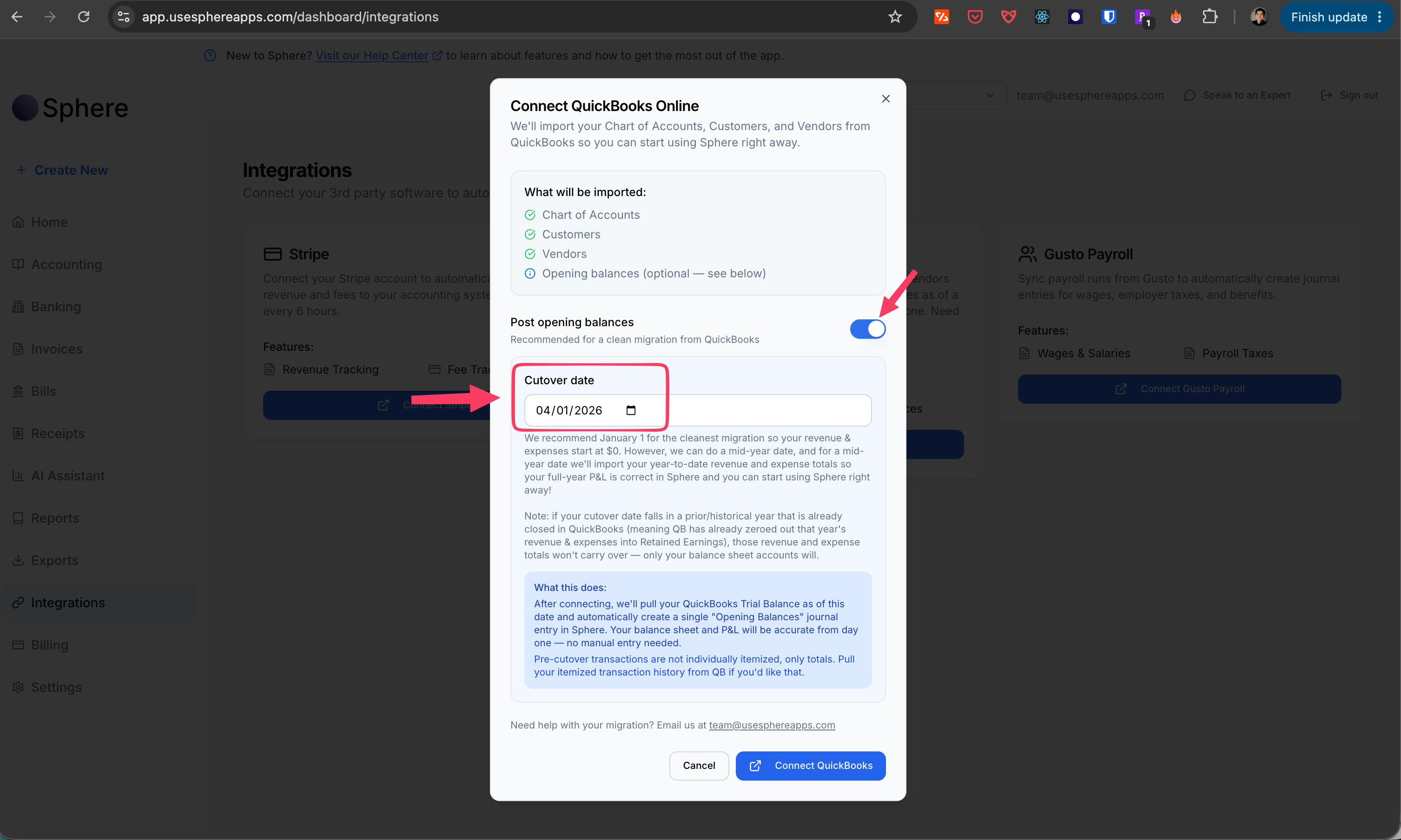
Migrate Your Trial Balance
Bring over historical balances as of any cutover or opening date
Separate from the Chart of Accounts, Customers, Vendors sync, and optional
Beyond syncing your Chart of Accounts, Customers, and Vendors, you can also migrate your trial balance from QuickBooks for any cutover or opening date you choose.
Sphere pulls both your income statement accounts and balance sheet accounts as of that date, then posts every balance automatically as a single journal entry. Your books are accurate from day one — no manual re-entry of historical balances.
Pick any date
Whether you're switching mid-year or at the start of a new fiscal year, choose the cutover date that fits your business and Sphere handles the rest.
Have questions or want white-glove onboarding help? Email team@usesphereapps.com or book a demo.

Ready to make the switch?
Start your free account today. No credit card required.